How to find the radio serial
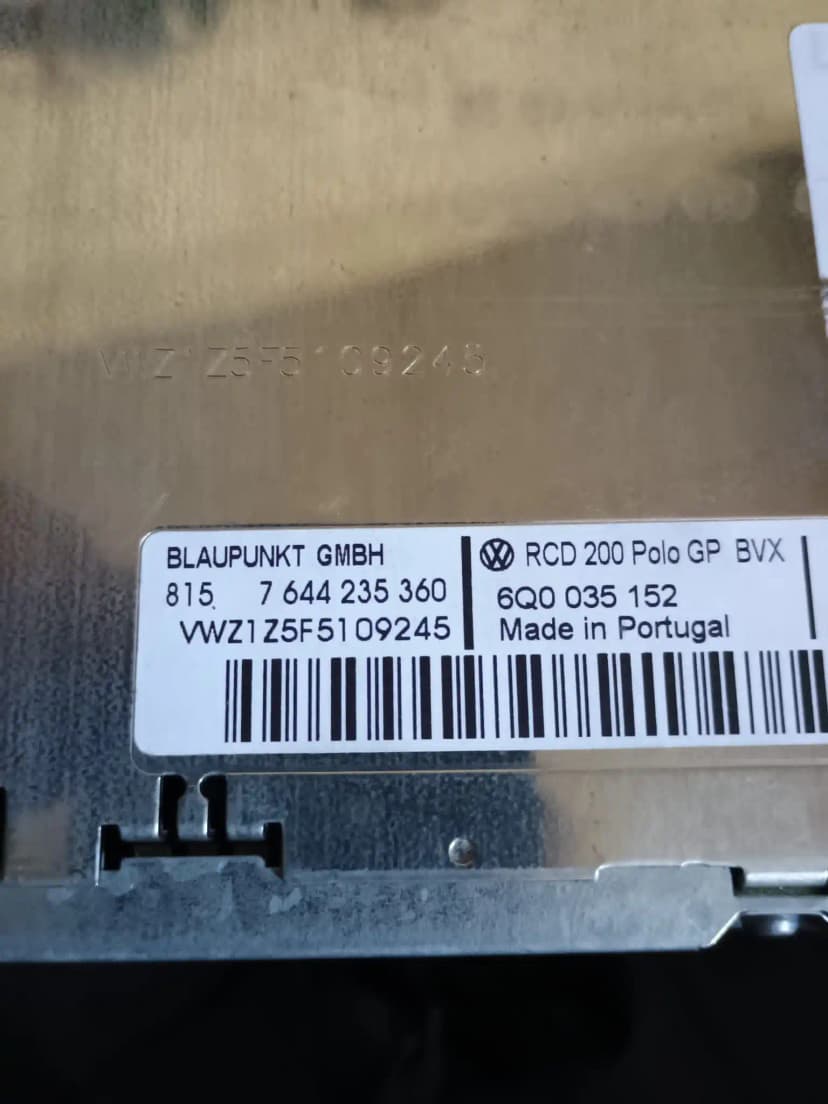
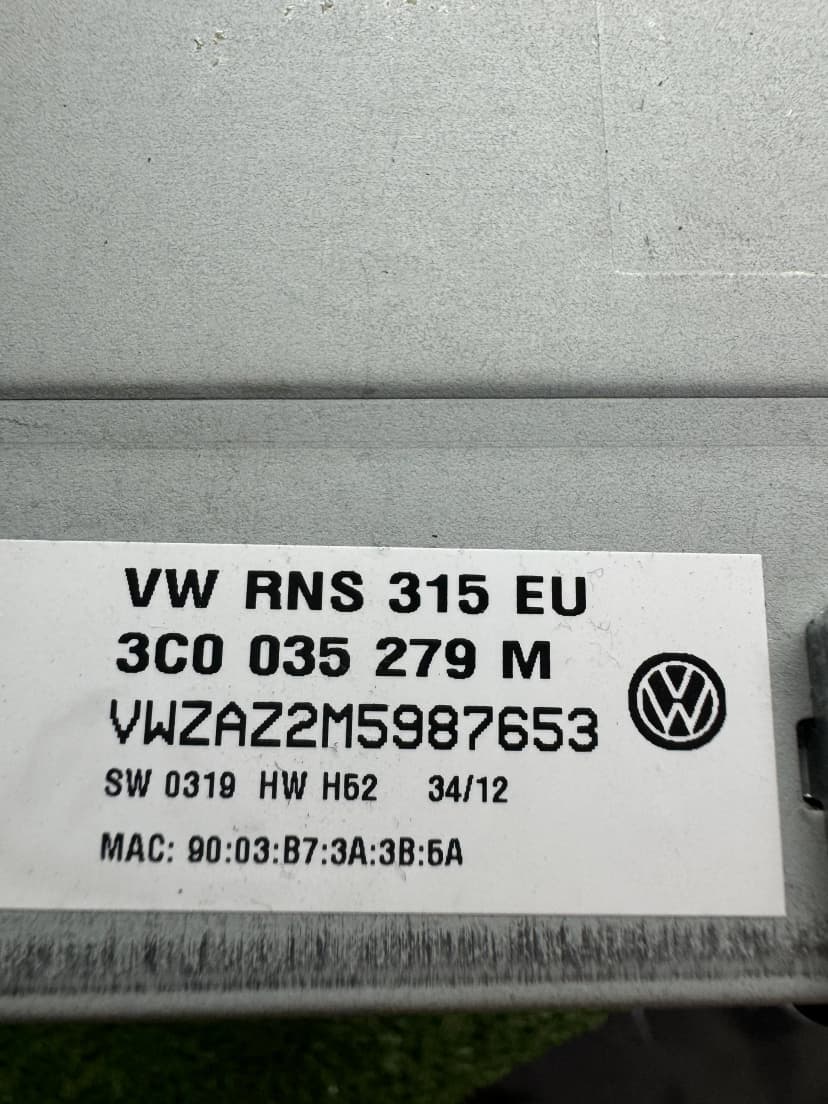
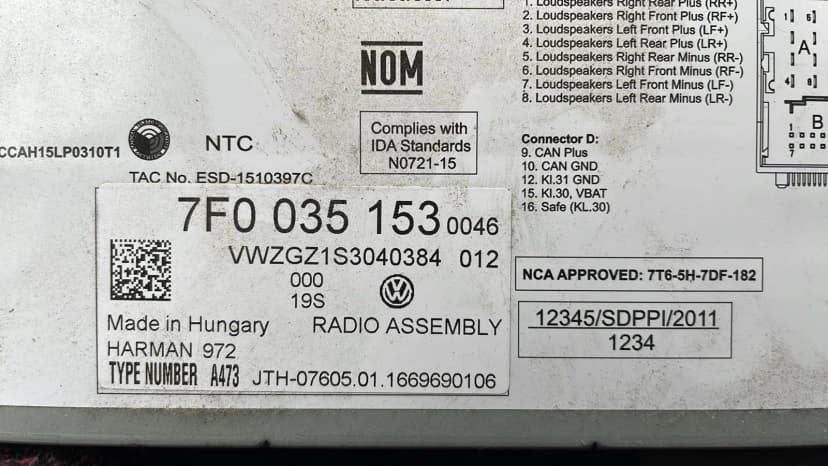
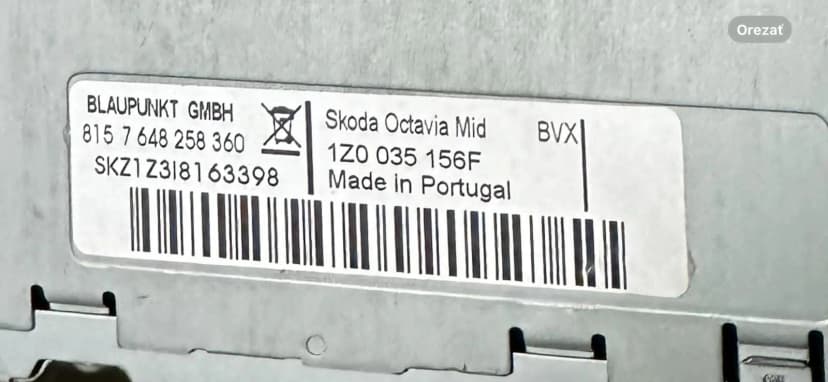
Check the fitted radio label first. Some units can also show the serial with button shortcuts, but the physical label is the safest source for order checks.
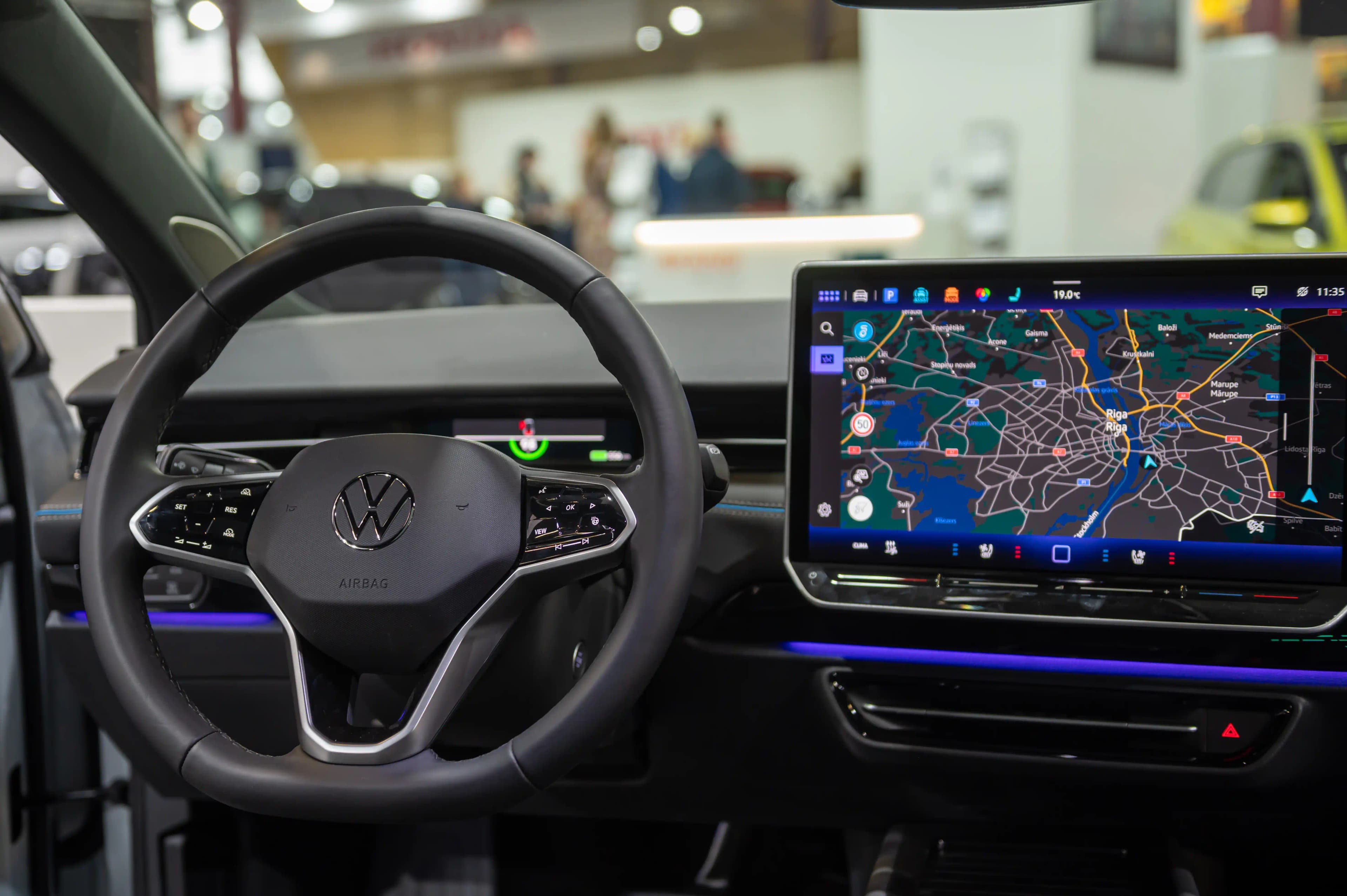
Get your Skoda radio code for Octavia, Fabia, Superb, Kodiaq, Karoq, Scala and more. Request a supported factory radio code online with estimated email delivery.
Skoda Bolero, Swing or Amundsen radio locked after maintenance? Enter the fitted unit serial and request the matching 4-digit unlock code for supported Skoda radio units.
Use these steps before ordering, entering a code or handling SAFE mode for Škoda.
Check the fitted radio label first. Some units can also show the serial with button shortcuts, but the physical label is the safest source for order checks.
Select the brand, enter the fitted-unit serial, add your email and complete secure checkout. The estimated delivery time is shown before payment.
Most classic VAG radios use preset buttons to set the four digits, then a confirm button. Touchscreen units may use an on-screen prompt.
SAFE mode and support
SAFE or SAFE 2 usually means the radio is locked after power loss or wrong attempts. Waiting rules vary by unit, so avoid guessing.
Choose your model below. Many factory-radio requests can be reviewed from the fitted unit serial.
1996-2026
1999-2026
2001-2026
2016-2026
2017-2026
2019-2026
2019-2026
2012-2026
2012-2020
2009-2017
2006-2015
2020-2026
Many factory Škoda radio requests can be reviewed from the fitted unit serial, part number and unit family.
Touchscreen
2012-2026
Standard Radio
2010-2026
Basic Radio
2008-2020
Navigation
2012-2026
Premium Nav
2010-2026
CD Radio
2005-2015
Basic Radio
2004-2012
Latest Gen
2015-2026
Find the serial number on your Škoda radio.
Enter your serial number and email. Pay securely with Stripe.
Receive the code by email after the serial check. Enter it only when your Škoda radio shows a code prompt.
Skoda radio-code requests can involve Swing, Blues, Bolero, Amundsen, Columbus, Stream, Dance or Symphony units, plus newer MIB infotainment cases. Submit fitted-unit evidence so supported code requests can be checked and the estimated delivery time is shown in the order flow.
Many Skoda factory radios include an anti-theft lock that can activate when the unit loses power. The display may show SAFE, 1000 or a code prompt, and the correct entry method depends on the fitted unit generation.
Battery replacement or a battery disconnect is a common trigger for SAFE or code-entry states on supported Skoda radio units.
Cold winters in Central/Eastern Europe often cause dead batteries. After a jump-start, the radio locks.
Mechanics frequently disconnect the battery during MOT/STK inspections and routine service, triggering the lock.
Bought a used Skoda? The radio code is often missing from the sale documents. Send the fitted-unit serial so the supported code path can be checked.
Skoda vehicles use several VAG-era radio and infotainment generations, so SAFE behavior is not identical on every unit. Battery replacement, jump-start or service work can trigger a lock state on supported Swing, Blues, Bolero, Amundsen, Columbus, Stream or Dance units.
Turn the ignition to the ON/ACC position so the radio powers up. If the display reads "SAFE", the unit is locked and awaiting code entry. On Bolero and Amundsen touchscreen units, the display may show "SAFE" in the center of the screen with no other prompts.
If "SAFE" is displayed, press and hold the scan/seek button (►I on Swing/Blues units) or tap the "SAFE" text on Bolero/Amundsen touchscreens for approximately 3–5 seconds. The display should change from "SAFE" to "1000", indicating the radio is now ready to accept your 4-digit code.
Enter your code using the station preset buttons 1–4. Each button press increments the corresponding digit (Button 1 = first digit, Button 2 = second digit, etc.). On Bolero and Amundsen touchscreens, a numeric keypad will appear directly — tap each digit. On Columbus navigation units, you may need to use the rotary knob or touchscreen depending on the software version.
When the four digits match your code, confirm with the correct button or on-screen OK prompt for your unit. If accepted, the unit should unlock and audio resumes.
If you enter the wrong code too many times, the unit can enter a timed lockout. Leave the ignition on only as instructed by the unit manual, then recheck the serial and code before trying again.
After repeated incorrect entries, many Skoda radios enter a timed lockout. Always verify the serial, screen state and entry method before another attempt.
Skoda has used several infotainment generations, and the code-entry method differs between button-based units and touchscreen units. Use the fitted-unit evidence and screen prompt to choose the correct method.
Swing and Blues button-based units often use preset buttons 1-4 to set each digit when a code prompt is visible. Confirm only after checking that the four digits match your code.
Bolero (touchscreen, 2012+): Turn ignition ON. Tap the "SAFE" message on screen to switch to code entry mode. A numeric keypad appears — tap each of the four digits in order. Press "OK" to confirm. On MIB2-generation Bolero units (2015+), the keypad layout may vary slightly but the process is identical.
Amundsen (navigation touchscreen): Turn ignition ON and wait for the navigation system to fully boot (10–15 seconds). The "SAFE" prompt appears over the map screen. Tap it to open the code entry dialog. Enter your 4-digit code via the on-screen keypad and tap "Confirm". The navigation and radio functions restore simultaneously once accepted.
Columbus (premium navigation): Turn ignition ON. The Columbus unit takes 15–20 seconds to boot due to its larger software stack. Once "SAFE" appears, tap it or press the MENU hard-key to access code entry. On older Columbus units (2010–2014) you may need to use the rotary push-knob to scroll through digits and press it to confirm each one. On newer Columbus units (2015+), a touchscreen keypad is available. Enter your 4-digit code and confirm.
Pro Tip: Columbus navigation units sometimes require a separate unlock code for the navigation module and the radio module. In most cases they share the same 4-digit code, but if your Columbus shows "SAFE" after entering the correct radio code, contact our support — we can check whether your unit has a split code configuration.
With the radio powered on, some Skoda units can show serial information through preset-button combinations such as 1+6 or 2+6. If the display does not show a serial, use the physical label or system information instead.
If button combinations do not work, the radio may need to be removed enough to read the label on the chassis. Use the serial exactly as printed on the fitted unit, including letters and numbers.
Check your Škoda service booklet, the original radio manual, or any documentation from the dealer. Some Škoda dealers in Czech Republic, Germany, and UK attach a sticker with the radio code and serial number inside the glove box or on the back cover of the service book. If you purchased the car second-hand, ask the previous owner whether they have this information.
SK, serial and serial prefixes may appear on Skoda-fitted units depending on radio supplier and platform. Submit the exact fitted-unit serial and label; serial or serial prefixes should be treated as replacement or cross-fitted units and checked before support is promised.
Common issues and how to fix them — no dealer visit needed.
Cause: The radio may be in a timed lockout after incorrect code attempts or may not yet be in code-entry mode. Behavior varies by Skoda unit generation.
Solution: Leave the unit powered only as instructed by the fitted radio manual, then try to switch to the visible code-entry prompt. If the prompt does not appear, send a screen photo and serial evidence for review.
Cause: Škoda uses two distinct interface paradigms across its range. Swing and Blues units are button-operated with preset buttons 1–4 controlling each digit, while Bolero and Amundsen are touchscreen-based with an on-screen keypad. Confusion arises when owners switch between Škoda models or replace a unit.
Solution: For Swing/Blues: use preset buttons 1–4 to increment each digit, then hold ►I to confirm. For Bolero/Amundsen: tap the "SAFE" prompt on screen, enter digits on the keypad, and tap "OK". If you upgraded from Swing to Bolero aftermarket, the code entry follows the new unit's method, but the original code from your serial number remains the same.
Cause: This is a known quirk on some Škoda Octavia II (1Z) and Fabia II (5J) models. After code entry, the radio firmware reinitialises but the audio amplifier may not resume correctly, especially if the car has a separate Škoda Canton or standard amplifier module.
Solution: Turn the ignition fully OFF, remove the key (or press the start button twice on keyless models), wait 30 seconds, then restart the car. The audio system will reinitialise completely. If the issue persists, check the audio output setting — some Bolero units reset to "Mute" after a code entry. Press the volume knob or check Settings → Sound → Volume to ensure it's not muted.
Cause: The serial may have been read incorrectly, the fitted unit may use a newer infotainment format, or the radio may be a replacement unit with a different VAG prefix.
Solution: Double-check each character of your serial number, paying attention to Z vs 2, S vs 5, and O vs 0. Compare the screen result with the physical label and contact support so the fitted-unit evidence can be reviewed manually.
Cause: Columbus premium navigation units in Škoda Superb and Kodiaq sometimes display the SAFE prompt only briefly during boot, then default to the map view. The code entry dialog can be hidden behind the navigation interface, making it seem like the unit isn't locked when it actually is (the radio function won't work).
Solution: Press the RADIO hard-key on the Columbus unit to switch from navigation to radio mode. The "SAFE" prompt should now appear. If it doesn't, press MENU → Settings → Radio and look for a code entry option. On some Columbus firmware versions, you can also press and hold the POWER button for 10 seconds to force a full reboot, after which the SAFE prompt will display properly at startup.
Octavia is a common Skoda radio-code request, but support still depends on the fitted unit. Match the serial, label and screen state instead of assuming coverage from the vehicle model alone.
Fabia models from 2000–2007 often came with the basic "Dance" or "Stream" radio which uses a simpler button-only interface. These older units sometimes have a 3-second delay before accepting button presses after displaying "1000" — be patient and wait before entering your code.
Rapid and Roomster may share radio hardware with Fabia-era units. If the serial starts with the printed serial, submit the fitted-unit evidence so the correct workflow can be checked.
If your Škoda has a Canton sound system upgrade, the radio code is stored in the head unit (Bolero/Columbus), NOT in the amplifier. The Canton amplifier module does not have its own lock — once the head unit is unlocked, the entire audio system resumes normally.
On Škoda Superb II and III models, the Columbus navigation unit is frequently paired with a separate CD changer in the glove box. The CD changer does not require a separate code — it communicates through the head unit. If the CD changer isn't working after unlocking, check the MOST bus connection (fibre optic cable) behind the unit.
Citigo may use VW Up or SEAT Mii-related hardware and serial prefixes. Submit the fitted-unit serial and label so the correct code path can be checked.
Why thousands of Škoda owners choose our online service over visiting a dealership.
| Feature | Škoda Dealer | Radio Code Find |
|---|---|---|
| Price | €25–€70+ | From €40 |
| Delivery Time | 1–5 business days | Estimated delivery: 5-30 min |
| Availability | Weekdays only | 24/7, 365 days/year |
| Visit Required | Yes, must visit dealer | No, 100% online |
| Documentation | Registration + ID | Serial number only |
| Guarantee | Varies | Full refund if not delivered |
Skoda owners across Europe, the UK, India and Turkey often need radio-code help after battery work, used-car purchase or unit replacement. Support depends on the fitted radio or infotainment unit, so the serial, part number and screen state should be checked before code entry.
Requests can be reviewed online from fitted-unit evidence, with email support for compatible cases. Some modern infotainment systems may require a compatibility check.
Volkswagen Owner
"My Volkswagen radio got locked after battery change. The code worked on entry! Saved me a trip to the dealer."
Car Enthusiast
"Fast and reliable service. Entered my serial number and received the code by email. Highly recommend!"
Audi Owner
"Excellent service! Got my Audi radio code after the lookup. The process was simple and the price was fair."
Skoda Driver
"Customer support was very helpful. My Skoda radio is working again. Great service!"
Compare our professional service with other options
| Feature | Radio Code Find | VW Dealer | Facebook/WhatsApp |
|---|---|---|---|
Price | €15.00 | €50-100 | €10-30 |
Delivery Time | 5-30 min | 1-3 days | Uncertain |
24/7 Service | |||
Secure Radio Code Lookup | Maybe | ||
Secure Payment (Stripe) | |||
| No Appointment Needed | |||
| Scam Risk | No Risk | No Risk | High Risk |
Start your Škoda radio unlock with Radio Code Find.
Škoda and related model names are registered trademarks. Radio Code Find is an independent service provider.