
How to find the radio serial
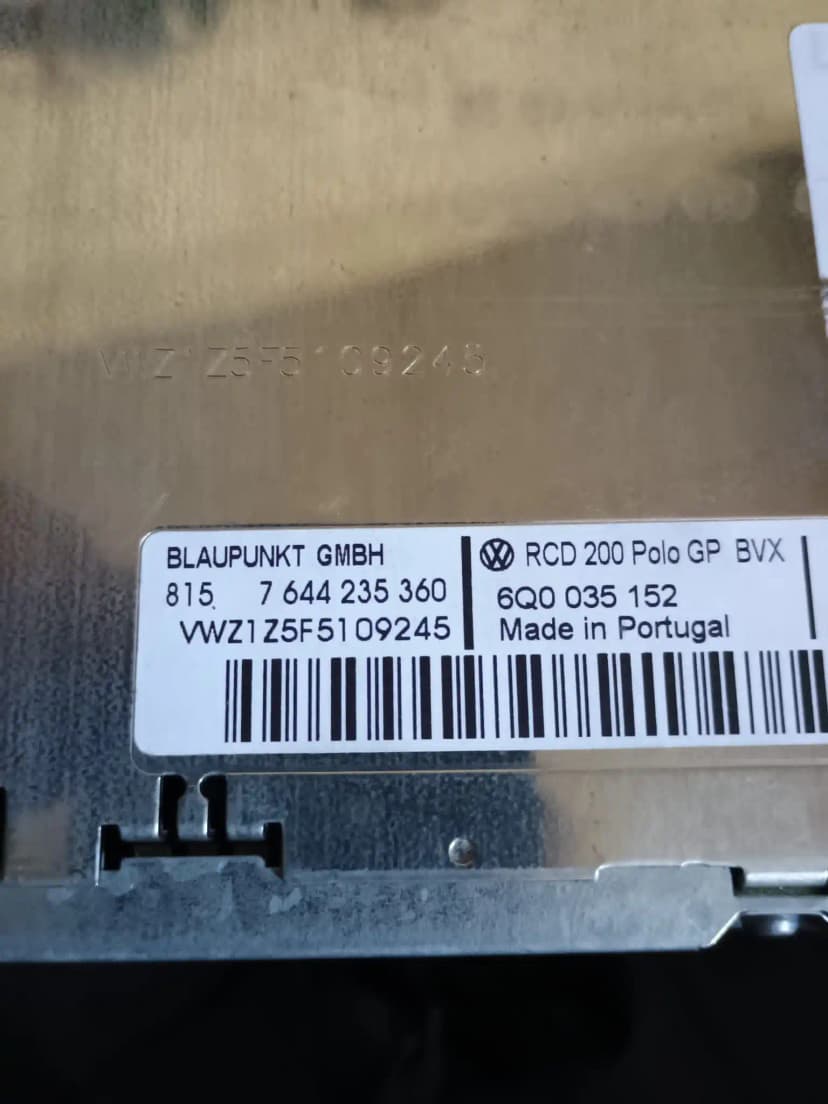
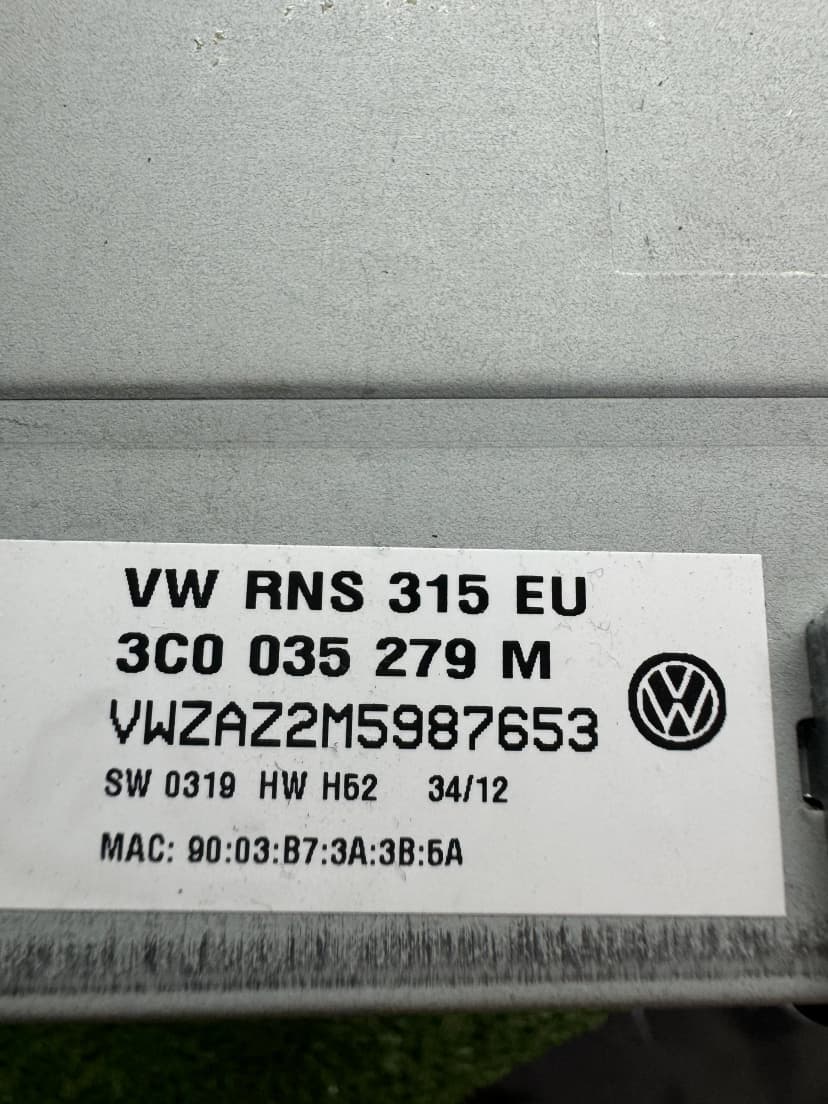
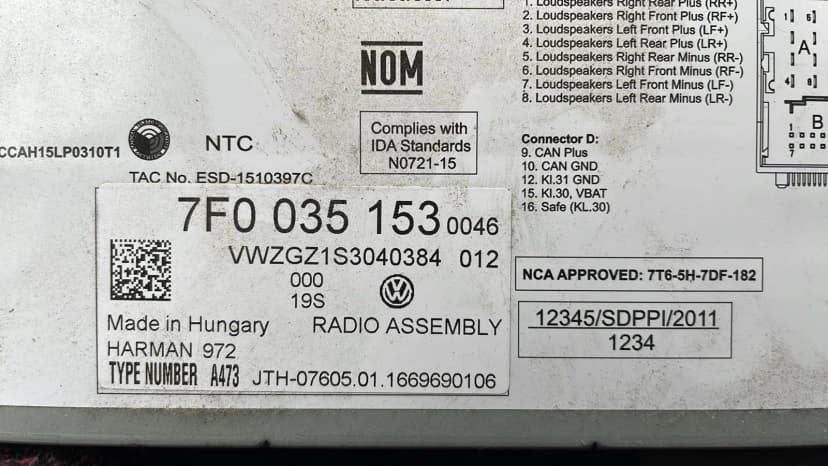
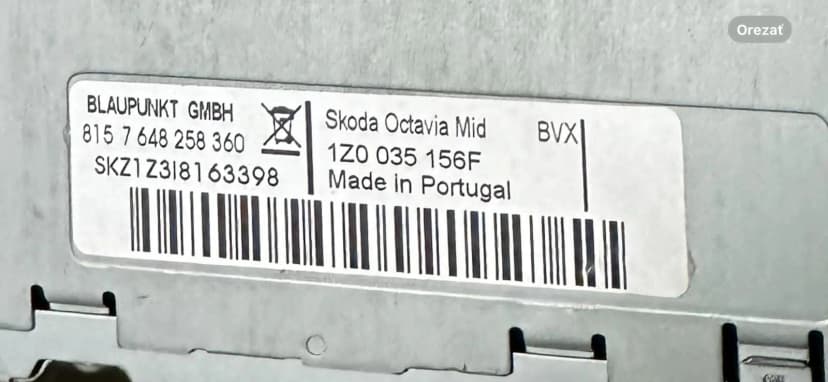
Check the fitted radio label first. Some units can also show the serial with button shortcuts, but the physical label is the safest source for order checks.
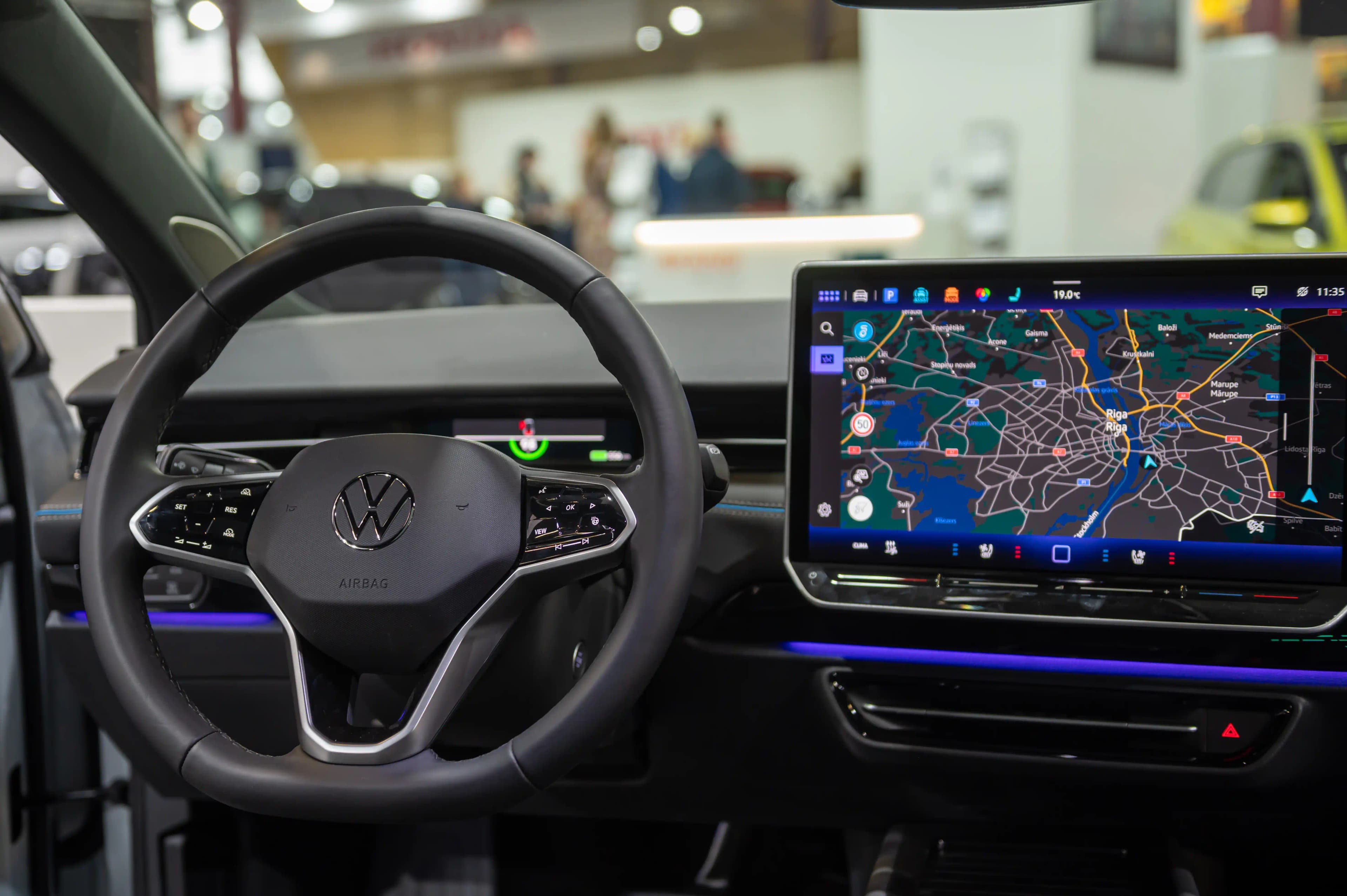
Lost your Skoda Dance radio code? Use our Skoda Dance Radio Code Generator / Calculator service to request help from the fitted unit serial and label details.
Dance searches often come from Fabia or Roomster owners with SAFE, 1000 or German eingeben intent, but the fitted unit label still decides the correct workflow. Submit the screen message, serial, part number and label photos before another attempt so supported cases can be reviewed carefully.
Use these steps before ordering, entering a code or handling SAFE mode for Skoda Dance.
Check the fitted radio label first. Some units can also show the serial with button shortcuts, but the physical label is the safest source for order checks.
Select the brand, enter the fitted-unit serial, add your email and complete secure checkout. The estimated delivery time is shown before payment.
Most classic VAG radios use preset buttons to set the four digits, then a confirm button. Touchscreen units may use an on-screen prompt.
SAFE mode and support
SAFE or SAFE 2 usually means the radio is locked after power loss or wrong attempts. Waiting rules vary by unit, so avoid guessing.
This is an independent service. For supported units, codes are sourced from OEM database records using the fitted radio's serial number; we are not affiliated with Volkswagen Group brands.
Eligible factory-radio requests for Volkswagen, Audi, SKODA, SEAT and Cupra vehicles are supported through model year 2026. Availability depends on the exact fitted radio and serial number. Delivery time varies by brand and fitted radio. The current estimate is shown before checkout; manual or complex cases may take longer. The displayed time is an estimate, not a guarantee.
Choose your model below. Many factory-radio requests can be reviewed from the fitted unit serial.
2000s-early 2010s
2000s-2010s
Older used-car cases
Used-car cases
Older VAG-style units
Search-intent cases
Many factory Skoda Dance radio requests can be reviewed from the fitted unit serial, part number and unit family.
Older button-based Skoda radio family
2000s-early 2010s
Fitted-label and part-number review
2000s
Vehicle-intent evidence check
2000s
Screen-state evidence
Code-entry cases
Prefix and fitted-label review
Used-car cases
Find the serial number on your Skoda Dance radio.
Enter your serial number and email. Pay securely with Stripe.
Receive the code by email after the serial check. Enter it only when your Skoda Dance radio shows a code prompt.
Need a radio code for a Skoda Dance unit? Use our independent Skoda Dance radio code service to request help from fitted-unit evidence. Dance requests should be written for older button-based Skoda units and German code-entry intent without treating the name as a blanket fitment claim. We review supported requests from the serial, part number, label and screen state before any code-entry advice is given.
A Dance radio can show SAFE, SAFE 2, 1000, CODE or digit fields after a flat battery, battery replacement, fuse work, radio removal, replacement-unit installation or wrong attempts. The installed unit decides the workflow, especially when the car has changed owners or the radio was replaced.
Skoda Fabia Dance searches are useful starting points, but the installed Dance unit, label, serial and part number decide the support path.
Skoda Roomster Dance cases often involve battery work, used-car history, missing code cards or a replacement radio, so old paperwork should be treated as supporting evidence only.
SAFE and 1000 are not the same state. A waiting state should be allowed to clear with stable power before another checked code attempt.
A replacement radio may carry the printed serial or another VAG-style prefix, so the serial must be preserved exactly as printed.
Start with the exact screen message on the Dance unit. SAFE, SAFE 2, 1000 and digit-entry prompts do not mean the same thing.
Keep stable vehicle or accessory power connected while checking the Dance radio state.
Write down whether the display shows SAFE, SAFE 2, 1000, CODE, digit fields or another message.
Do not keep trying old handbook codes unless they match the installed Dance unit label.
Photograph the front panel, screen, label, serial, part number and barcode where possible.
Enter a code only when the unit shows a confirmed code-entry prompt and the code has been checked against the fitted unit.
Avoid guessing on Skoda Dance SAFE or SAFE 2 screens. Wrong attempts can trigger or extend a waiting period on many older VAG-style units.
Dance code eingeben / code entry should only happen after the installed Dance unit and screen state are confirmed from evidence. Use these steps only after the serial, part number and label have been reviewed.
Confirm that the fitted unit is Dance from the front panel and casing label, not from search intent alone.
Wait until the display shows a real code-entry state such as 1000, CODE or digit fields instead of SAFE 2.
Use the unit-specific preset buttons, rotary controls or confirmation button only when the prompt is confirmed.
Check every digit before confirming the code on the Dance unit.
Stop if the code is rejected or the display does not match the reviewed evidence, then recheck serial and part number.
Pro Tip: For Dance requests, keep German eingeben guidance practical but do not turn it into a generic duplicate page; use the fitted Dance label and prompt state.
Remove the radio only with suitable tools and care, then photograph the full casing label, serial, part number, manufacturer and barcode. This is the preferred evidence for a Dance code check.
Photograph the Dance front panel and the exact SAFE, SAFE 2, 1000 or code prompt before another attempt.
Use paperwork as supporting evidence only. It may belong to the original radio rather than the currently fitted Dance unit.
Record the full serial and part number exactly as printed, together with the radio family name.
Common issues and how to fix them — no dealer visit needed.
Cause: Previous wrong attempts may have triggered a timed waiting state.
Solution: Keep stable power connected, wait for the entry state and verify the fitted-unit serial before trying again.
Cause: The fitted radio may have been replaced, repaired or swapped before the current owner received the car.
Solution: Use the installed Dance label, serial and part number as the main evidence instead of the old paperwork alone.
Cause: The fitted unit may be a replacement or shared VAG radio with a different label format.
Solution: Submit the serial exactly as printed and include front-panel, label and part-number photos for routing.
Cause: The case may involve a replacement unit, wrong unit identification, software state or compatibility issue.
Solution: Collect screen photos and unit information before forcing an older code-entry method.
Write Dance content around the fitted radio unit, not around a blanket vehicle-model promise.
Use vehicle names as search-intent context only when the fitted unit label supports that context.
Copy the serial exactly as printed on the fitted unit label.
For Dance requests, keep German eingeben guidance practical but do not turn it into a generic duplicate page; use the fitted Dance label and prompt state.
Why thousands of Skoda Dance owners choose our online service over visiting a dealership.
| Feature | Skoda Dance Dealer | Radio Code Find |
|---|---|---|
| Price | Dealer quote varies | From €40 |
| Delivery Time | Appointment or manual check | Estimated delivery: 1–6 hours (estimate; complex cases may take longer) |
| Visit Required | Often yes | No visit for initial check |
| Main Input | Vehicle documents and workshop check | Fitted unit label, serial and screen state |
Skoda Dance radio-code demand usually comes from older Fabia, Roomster and used-car ownership across Germany, Central Europe, the UK and Turkey after battery replacement, missing code cards, SAFE 2 waiting states or radio swaps.
Requests can be reviewed online from fitted-unit evidence, with email support for compatible cases. Some modern infotainment systems may require a compatibility check.
Volkswagen Golf Owner
"My Volkswagen radio locked after a battery change. I entered the serial, paid, and the code worked on the first try — saved me a dealer visit."
Car Enthusiast
"Extremely fast and reliable service. Entered my radio's serial number and received the code by email. Highly recommend to anyone in the same situation."
Audi A4 Owner
"Excellent service! Got my Audi radio code after the lookup. The verification process was simple and the price was reasonable. 100% satisfied."
Skoda Octavia Driver
"Customer support was very helpful when I had questions about my Skoda radio. Got my code quickly and it worked on the first try!"
Compare our professional service with other options
| Feature | Radio Code Find | VW Dealer | Facebook/WhatsApp |
|---|---|---|---|
Price | €15.00 | €50-100 | €10-30 |
Delivery Time | 1–6 hours (estimate; complex cases may take longer)Estimated before checkout; manual or complex cases may take longer | 1-3 days | Uncertain |
24/7 Service | |||
Checked Lookup Sources | Maybe | ||
Secure Payment (Stripe) | |||
| No Appointment Needed | |||
| Scam Risk | No Risk | No Risk | High Risk |
Start your Skoda Dance radio unlock with Radio Code Find.
Skoda Dance and related model names are registered trademarks. Radio Code Find is an independent service provider.